Weekly Customer Insights with OpenClaw & Outlit
Get real customer insights, churn signals, revenue, and engagement, delivered straight to your inbox using Outlit, OpenClaw, and Resend.
Rafael Thayto
Everyone knows how painful it is to get real customer insights, knowing which customers are about to churn, and which ones are actually engaged. Right now, we have to jump between a bunch of different tools just to put together a simple report.
Need analytics? That's PostHog, Amplitude, or Segment. Billing? Switch over to Stripe, Shopify, or Lemon Squeezy. And that's before you even open Gmail, Google Calendar, Pylon, Attio, Fireflies, Clerk, Supabase… the list goes on.
And here's the thing, with just OpenClaw, Resend, and Outlit, you can get all of that in a single report, whether it's daily, weekly, or monthly.
But before we get there, you'll need to have these three tools installed
And these three skills:
npx skills add anthropics/skills/skills/frontend-design
npx skills add vercel-labs/agent-browser
npx skills add outlitai/outlit-agent-skills/skills/outlit-cli
Here's the prompt that you need to paste on your OpenClaw:
remember to change the <EMAIL_PLACEHOLDERS>
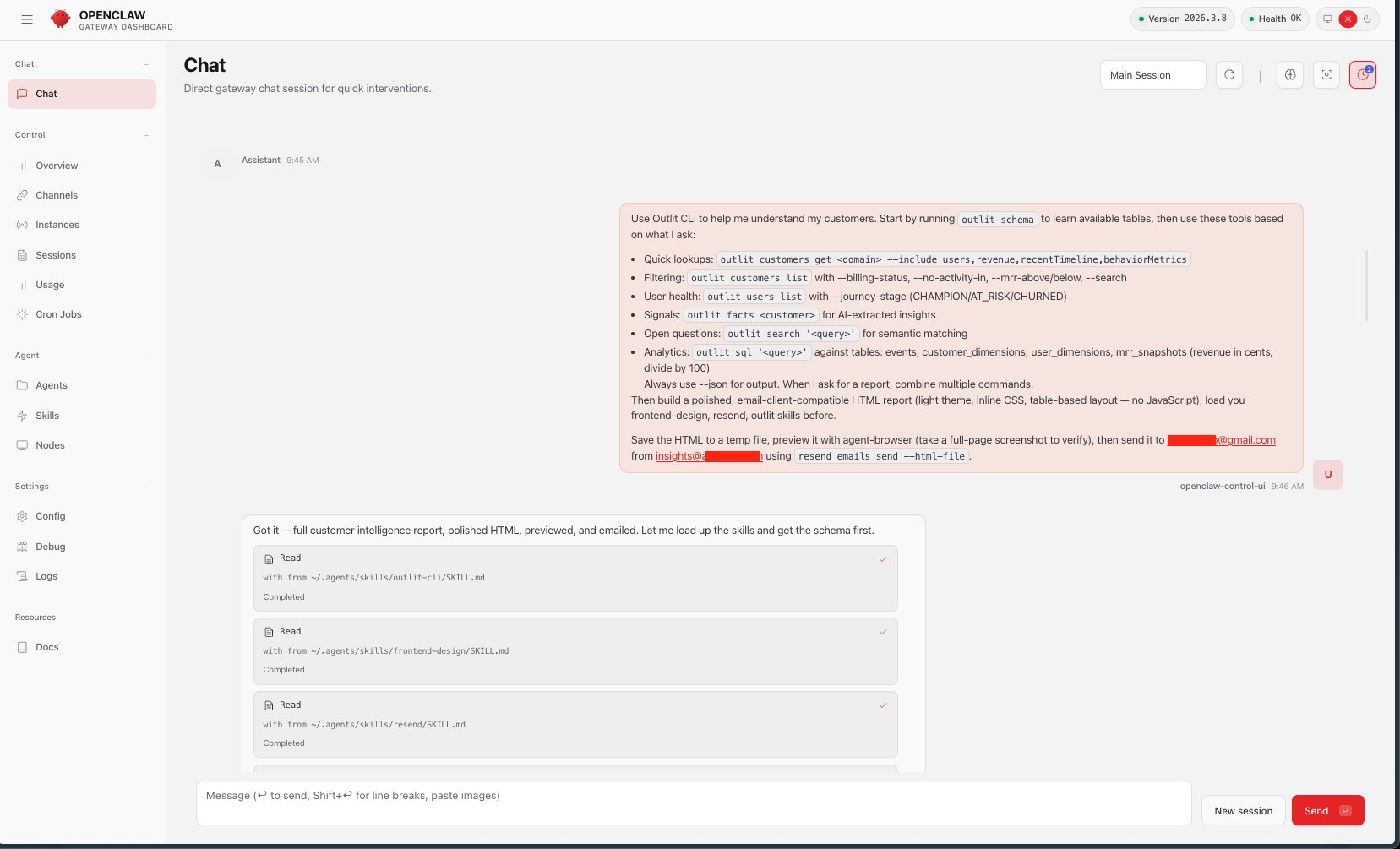
Use Outlit CLI to help me understand my customers. Start by running `outlit schema` to learn available tables, then use these tools based on what I ask:
  - Quick lookups: `outlit customers get <domain> --include users,revenue,recentTimeline,behaviorMetrics`
  - Filtering: `outlit customers list` with --billing-status, --no-activity-in, --mrr-above/below, --search
  - User health: `outlit users list` with --journey-stage (CHAMPION/AT_RISK/CHURNED)
  - Signals: `outlit facts <customer>` for AI-extracted insights
  - Open questions: `outlit search '<query>'` for semantic matching
  - Analytics: `outlit sql '<query>'` against tables: events, customer_dimensions, user_dimensions, mrr_snapshots (revenue in cents, divide by 100)
Always use --json for output. When I ask for a report, combine multiple commands.

Then build a polished, email-client-compatible HTML report (light theme, inline CSS, table-based layout — no JavaScript), load you frontend-design, resend, outlit skills before.

Save the HTML to a temp file, preview it with agent-browser (take a full-page screenshot to verify), then send it to <YOUREMAIL@EMAIL.COM> from <YOURDOMAIN_EMAIL_FROM_RESEND@EMAIL.COM> using `resend emails send --html-file`.
Below you can see the results from that prompt, delivered straight to your inbox via Resend.
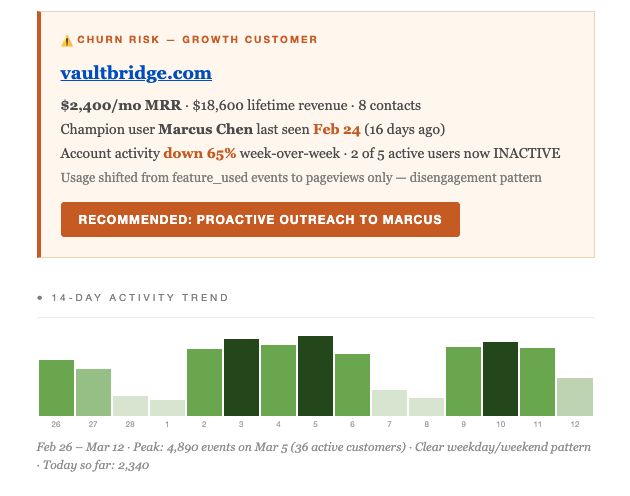
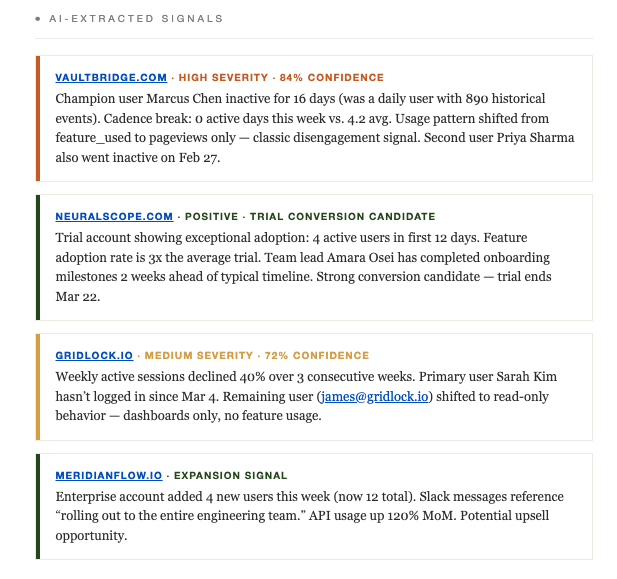
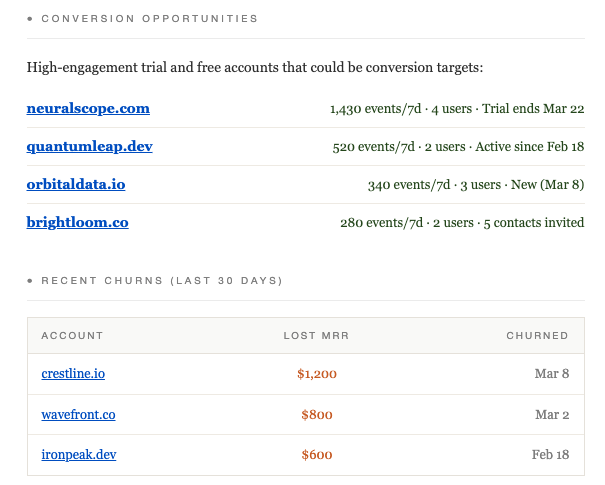
Churn signals:
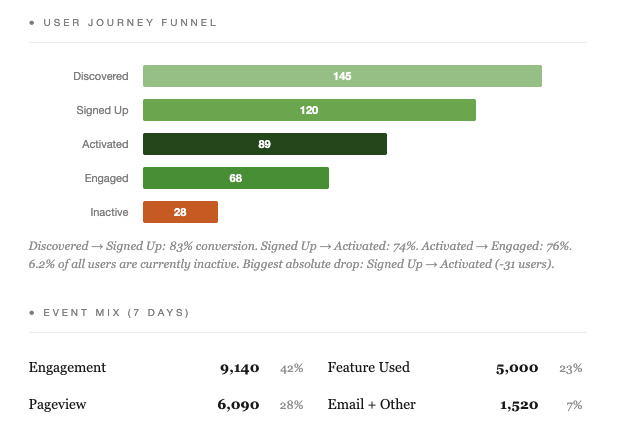
You can also track you customers funnel journey:
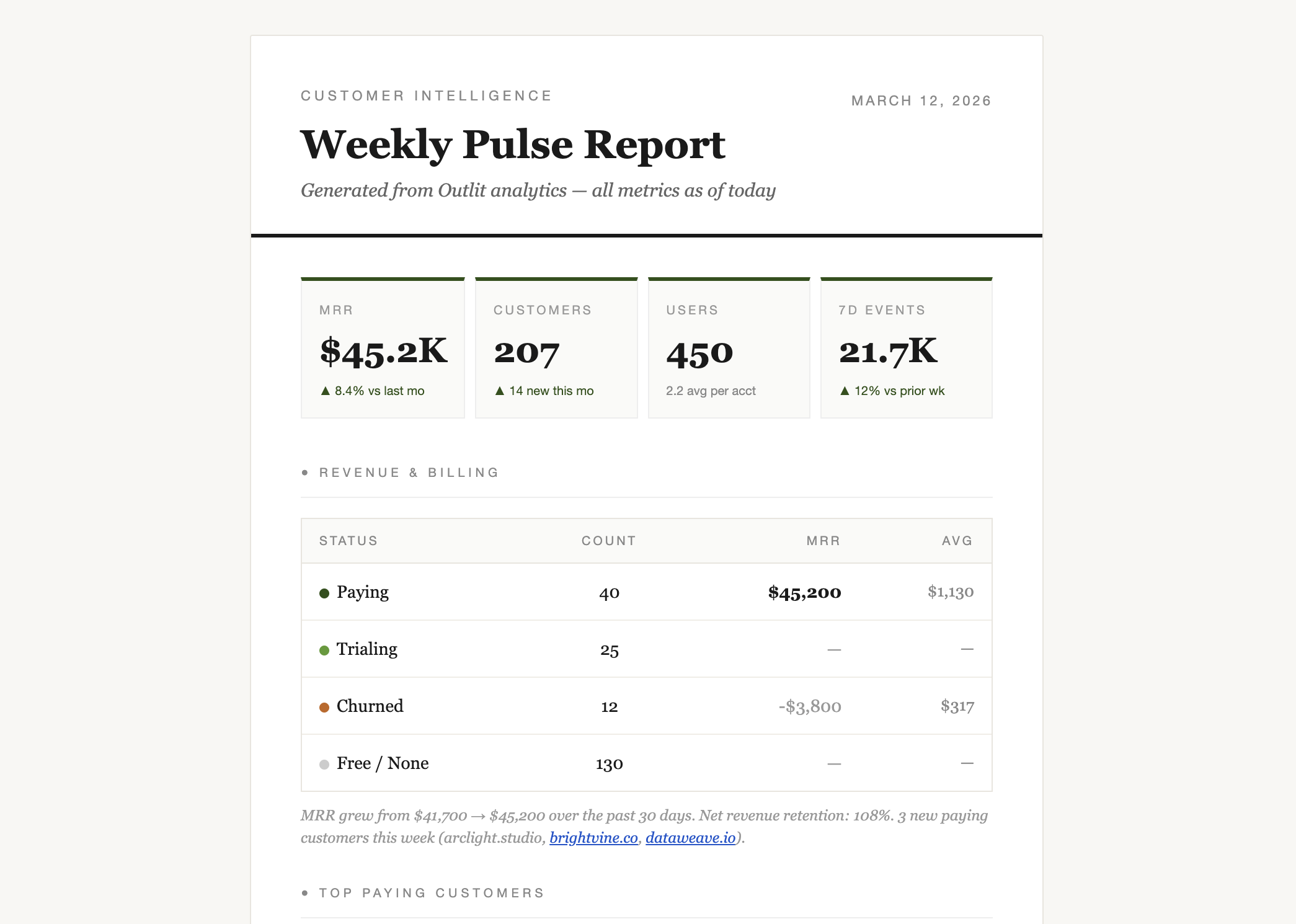
Your revenue:
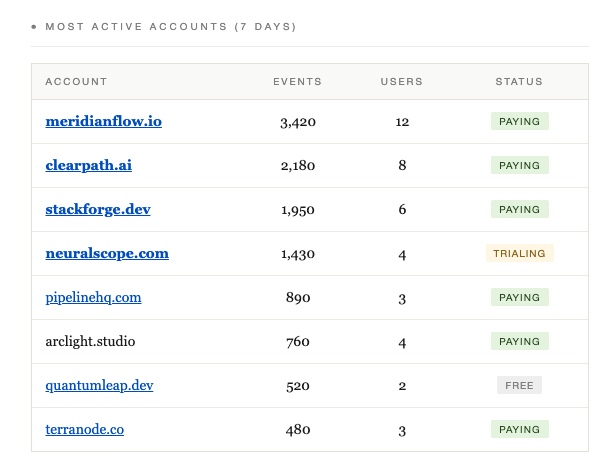
Most Active accounts:
AI Signals:
Conversion Opportunities:
Proof that OpenClaw did all of this, lol:
Everything was built with Outlit + OpenClaw + Resend and love ❤️.
See you in the next post :)